Mango Kids
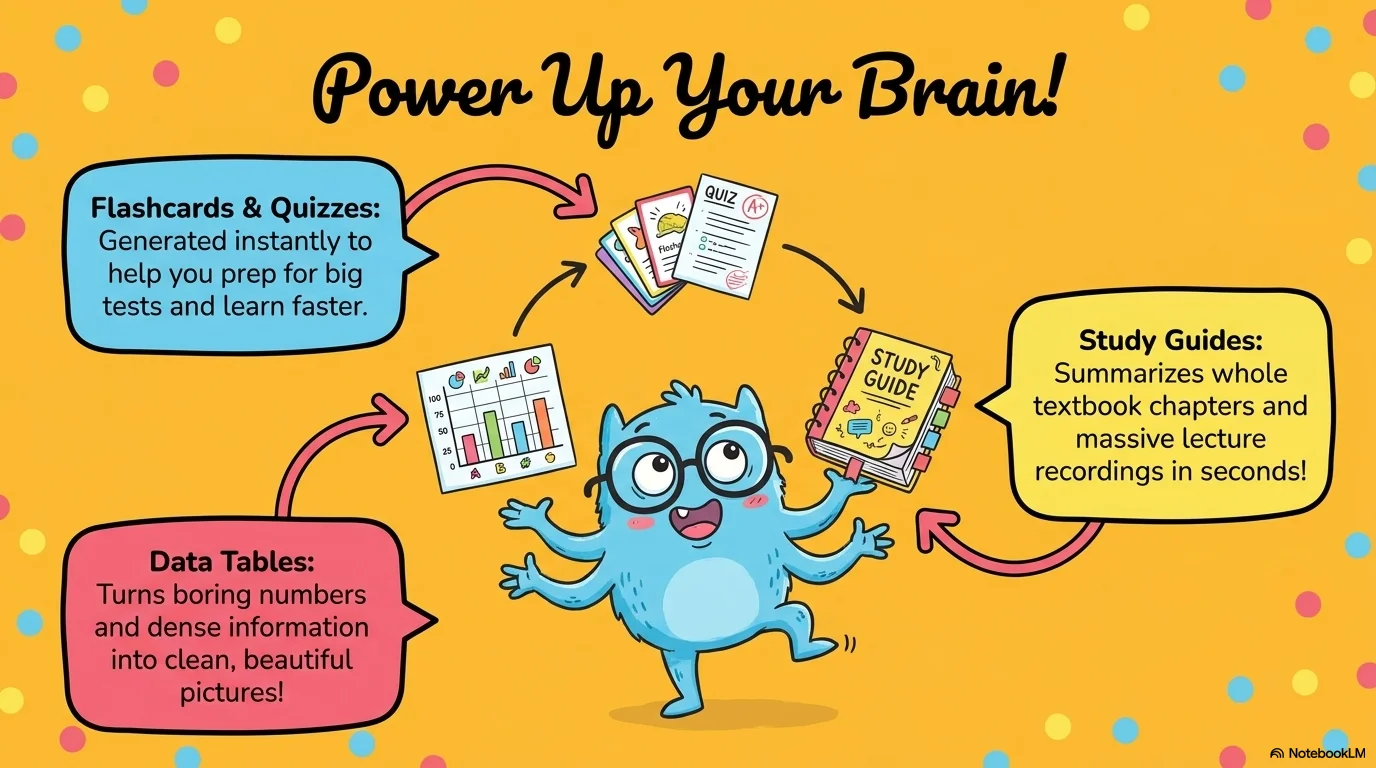
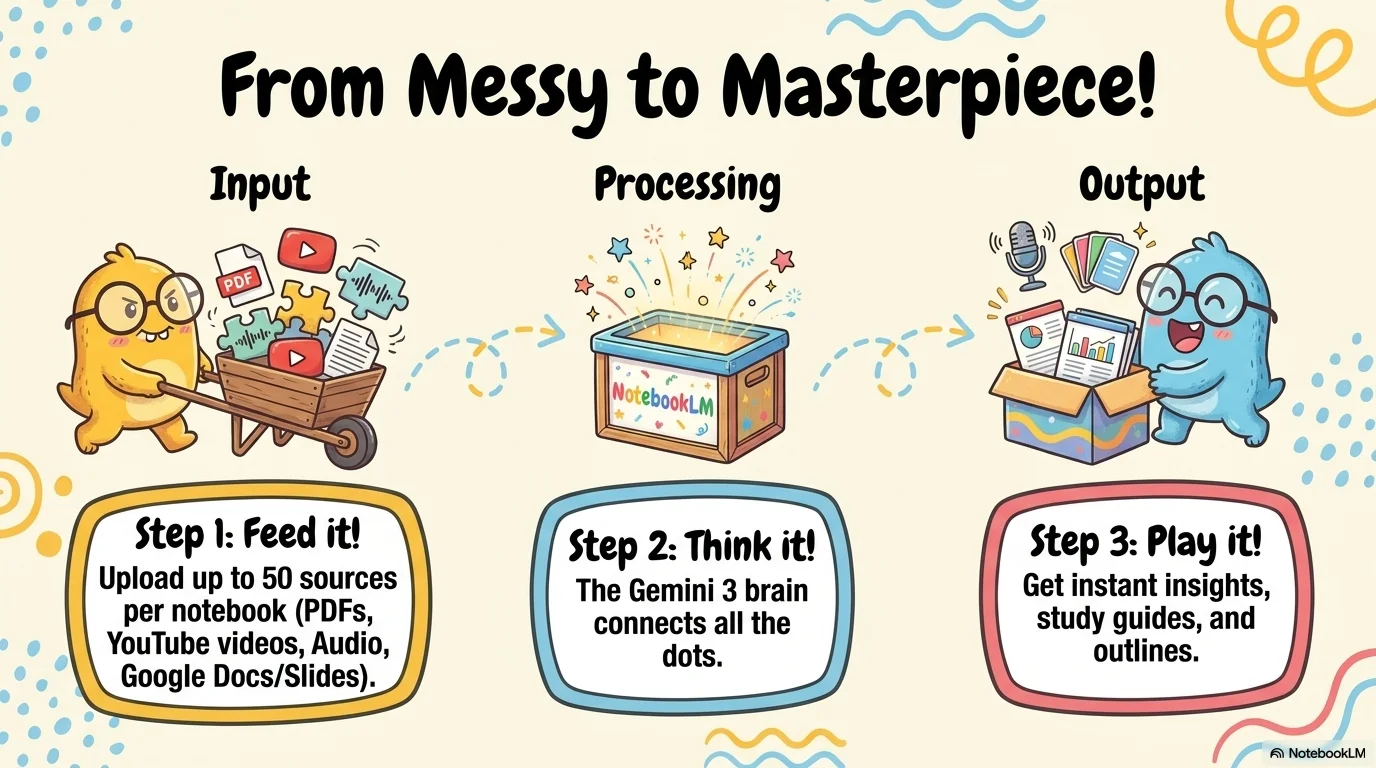
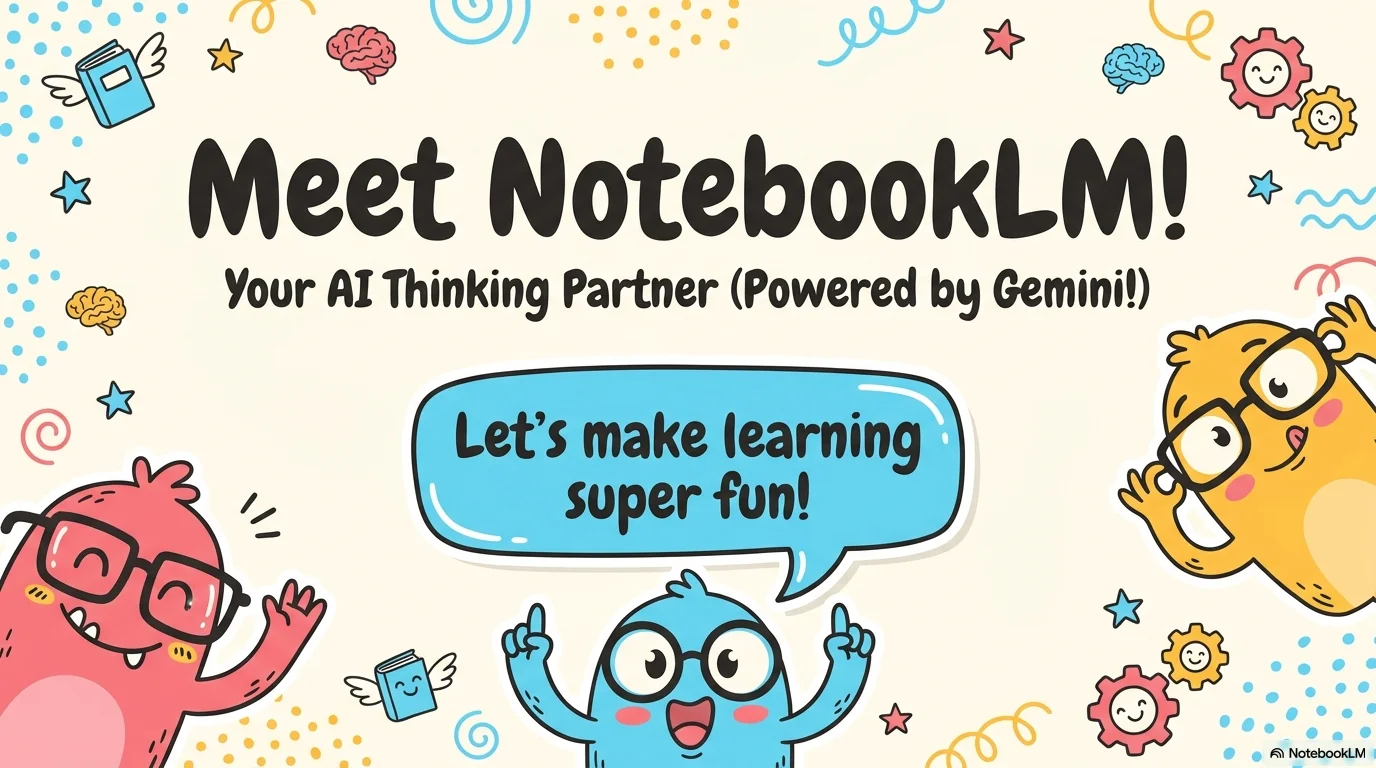
A fun and friendly aesthetic designed for children's games, educational content, and playful group activities. It features the chunky and charismatic Mango AC display font. Characterized by a palette of sky blue, mango yellow, and watermelon pink on cream backgrounds, it uses adorable monster characters with glasses, thick-bordered speech bubbles, and colorful doodle patterns to create a joyful 'kids playroom' atmosphere.
Palette
- Background
#FFF9C4 - Text
#424242
Typography
- primary heading
- Mango AC, cursive
- secondary heading
- Mango AC, regular
- body text
- Inter, bold
Key visual elements
- Adorable, doodle-style monster characters with glasses and silly expressions
- Thick-outlined speech bubbles with irregular, bubbly shapes
- Playful background patterns of dots, waves, and swirls in bright colors
- Rounded corner frames for images and interactive choices
YAML
description: "A fun and friendly aesthetic designed for children's games, educational content, and playful group activities. It features the chunky and charismatic Mango AC display font. Characterized by a palette of sky blue, mango yellow, and watermelon pink on cream backgrounds, it uses adorable monster characters with glasses, thick-bordered speech bubbles, and colorful doodle patterns to create a joyful 'kids playroom' atmosphere."
design_system:
  global_style:
    theme: "Mango Kids. Fun and bubbly design with cute monsters for children's activities and games."
    typography:
      primary_heading: "Mango AC, cursive"
      secondary_heading: "Mango AC, regular"
      body_text: "Inter, bold" # Bold Inter for readability while matching the weight of the headings
    color_palette:
      primary: "#FFD54F" # Mango Yellow
      secondary: "#4FC3F2" # Sky Blue
      background: "#FFF9C4" # Soft Cream Background
      surface: "#F06292" # Watermelon Pink Surface
      text_main: "#424242" # Dark Gray
      text_secondary: "#FFFFFF"
    key_visual_elements:
      - "Adorable, doodle-style monster characters with glasses and silly expressions"
      - "Thick-outlined speech bubbles with irregular, bubbly shapes"
      - "Playful background patterns of dots, waves, and swirls in bright colors"
      - "Rounded corner frames for images and interactive choices"

  image_generation_prompts:
    style_guidelines: "Cute doodle monster characters with glasses, bubbly speech bubbles, mango yellow and sky blue palette, playful background patterns, Mango AC font vibe, joyful kids playroom atmosphere."
    themes:
      - target: "Game Question"
        prompt_elements: "A pink monster with large glasses looking thoughtful inside a blue speech bubble, yellow background with colorful dots."
      - target: "Winner Screen"
        prompt_elements: "A group of happy monsters jumping and celebrating, confetti, vibrant colors, hand-drawn and cute style."

slide_layout_templates:
  - type: "Monster_Greeting"
    usage: "Large Mango AC title surrounded by cute monster stickers and colorful swirls"
  - type: "Choice_Bubble_Slide"
    usage: "A slide with two large thick-bordered bubbles for making a choice, decorated with dots"
  - type: "Doodle_Resource_Map"
    usage: "A playful map where resources are icons held by different monster characters"
  - type: "Kids_Summary"
    usage: "Clean layout with a large yellow '¡Qué divertido!' headline and a smiling monster in the corner"




Connect & Share